
If you’re a tech enthusiast and always looking for the latest news in the world of artificial intelligence, you’ve probably heard of Chat GPT 4 on mobile. Since its launch, OpenAI’s ChatGPT has gained more and more users and new ways to be used.
It was to be expected that users would think of ways to use this artificial intelligence tool directly from their mobile phones, since most people spend a good part of their day using their smartphones.
This new version of OpenAI’s advanced language model has been widely used in various applications. In this article, we will explain how to use Chat GPT 4 on your mobile phone.
What is ChatGPT?
Developed by OpenAI Inc., ChatGPT stands for “Chat Generative Pre-Trained Transformer.”
This tool is a version of the GPT-3 (Generative Pre-trained Transformer) language model, created to generate natural language text in a human-like manner.
Currently, ChatGPT is used in various applications involving written text, such as automatic writing applications, virtual assistants, data analysis tools, chatbots, and programming languages.
It has been trained with a large amount of conversational data and is capable of producing coherent and appropriate text within the context of a conversation.
What are the differences between the GPT Chat 4 mobile version and the PC version?
OpenAI has maintained the same functionalities in the mobile version as in the web version. However, just like on the computer, the free version presents some flaws during use. In the Android mobile version, the tool presented some problems while generating responses during the production of this text.
Another difference is in the layout, which adapts to the device’s screen format, hiding the responses already obtained by the tool through a drop-down menu, common for smartphone users.
Furthermore, as mentioned earlier, there is an app version available for iPhone (iOS), which offers additional features not yet available to Android users, such as push notifications and voice command support.
In short, despite the small differences in the use of the tool on different devices, the main functions of ChatGPT remain the same.
Is Chat GPT 4 really free?
Yes, it can be accessed for free on various platforms and apps. However, some advanced features or functionalities may require a subscription or the purchase of additional credits.
How do I access ChatGPT 4 on my mobile phone?
ChatGPT 4 is a powerful language model that allows users to interact with an AI capable of answering questions, performing specific tasks, and even simulating human conversations.
Previously, access to this technology was limited to specific platforms, but now it’s possible to use it for free on mobile devices.
There are several ways to access ChatGPT 4 on your mobile phone. One is through third-party apps or services that incorporate OpenAI technology into their platforms, allowing free interaction with ChatGPT 4 on mobile devices.
Several apps are available in app stores that offer free access to the language model, allowing users to converse with artificial intelligence directly on their mobile devices.
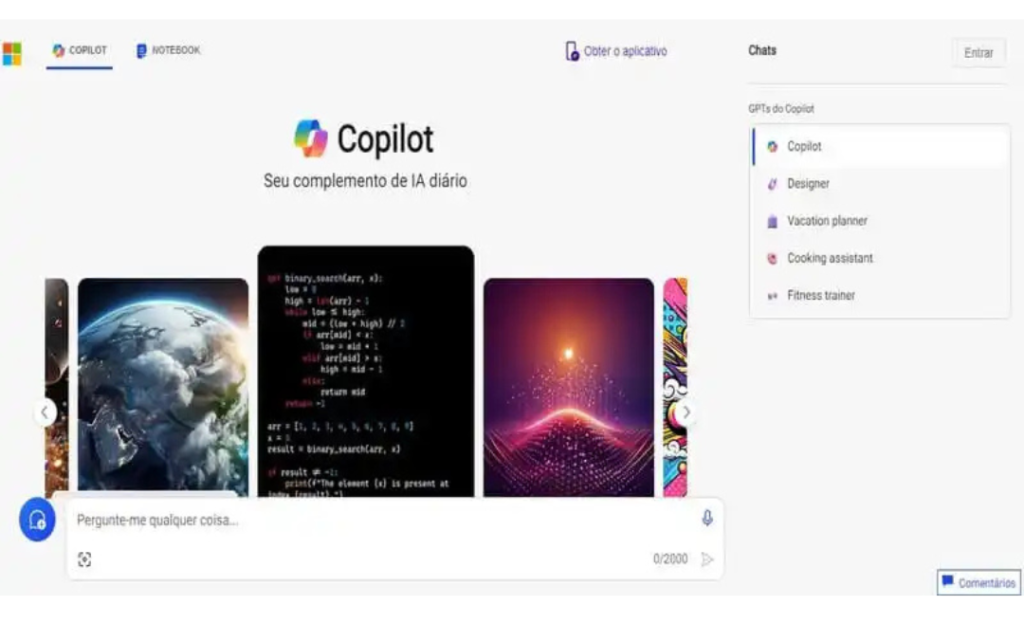
1. Microsoft Copilot
We begin our list of ChatGPT 4 mobile tools with Microsoft Copilot. This tool is a coding assistant developed in partnership with OpenAI that uses ChatGPT 4 to help developers with their daily tasks.
This innovative technology allows Copilot to automatically generate code snippets based on the context and needs of the programmer.
With ChatGPT 4, Microsoft Copilot can anticipate what the user is trying to do and suggest relevant lines of code in real time. This speeds up the development process, making it more efficient and productive.
Furthermore, Copilot continuously learns from user interaction, constantly improving its suggestions and becoming an essential partner for programmers.
2. Perplexity.ai
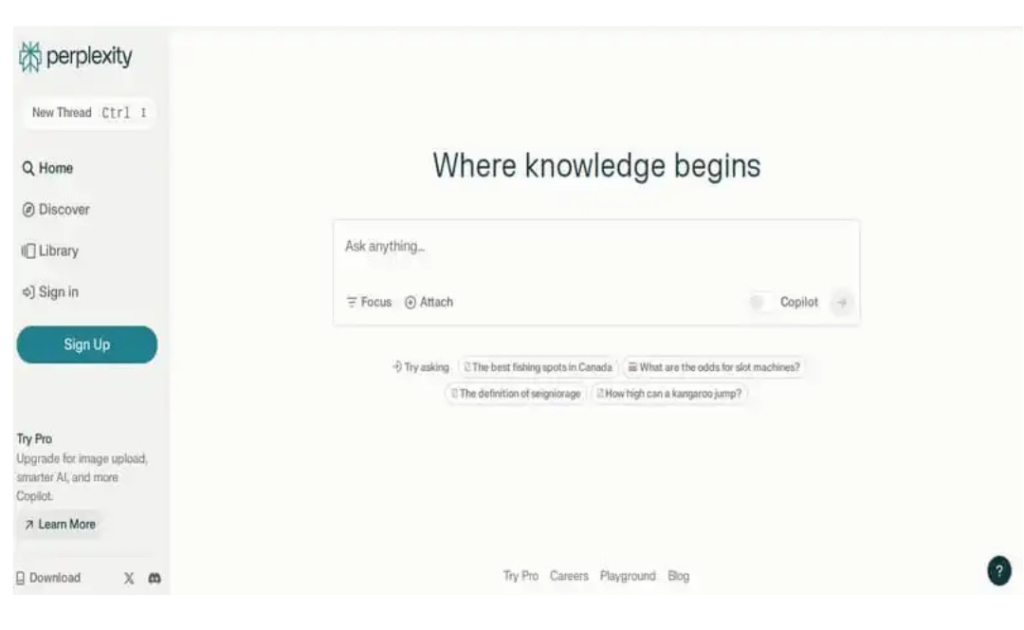
Perplexity.ai is another mobile ChatGPT 4 platform option that leverages ChatGPT 4 technology to drive innovation across various fields. This platform allows users to create and train their own AI models, using this technology as a foundation.
With Perplexity.ai, it’s possible to explore various AI applications, such as chatbots, virtual assistants, recommendation systems, and much more.
The platform offers intuitive tools and a user-friendly interface so users can create customized models and adapt them to their specific needs.
3. Nat.dev
Nat.dev is an Open Playground tool that allows users to experiment with various AI language models, such as GPT-4, for free and without restrictions. Simply select the desired tool and send your question or command.
It’s important to note that, depending on the number of users online, the resource may stop responding. If you don’t want to wait for the OpenAI model, you can also choose from 20 other alternatives integrated into the page.
However, free use of the site is quite limited, and longer prompts may incur charges.
4. Hugging Face
Hugging Face is another alternative for those looking for a ChatGPT 4 on their mobile phone. This tool is an open-source website dedicated to machine learning and the development of AI technologies.
The platform brings together thousands of developers and contributors to create new tools, which are made freely available to the public.
There are several Hugging Face Spaces that claim to offer access to GPT-4, but these resources may have very limited use or be slow to respond to user questions due to low processing capacity. Therefore, it is important to be aware of the limitations of these tools.
5. Merlin IA
Merlin is a Chrome browser extension with 12 integrated ChatGPT plugins. Through this tool, it’s possible to ask GPT-4 three free questions per day.
Powered by AI, the extension can function as a virtual assistant, helping the user read and write texts, create artwork, summarize YouTube videos, search the internet, and improve Google and Bing search engine optimization.
Users can access it via keyboard shortcuts or by clicking the extension icon. To download, simply search for “Merlin” in your browser’s extension store.
Can ChatGPT 4 replace humans in certain tasks?
The free ChatGPT 4 is capable of performing various tasks efficiently, but limitations remain in terms of context understanding and creativity. In some situations, human involvement may be necessary to ensure accurate and high-quality results.
This is an innovative technology that is being widely used in various projects, from virtual assistants to AI development platforms.
With free access on mobile devices, users can interact with this powerful artificial intelligence tool anywhere, anytime.
Have you discovered the best ChatGPT 4 on your mobile phone?
We hope this article has helped you find the best ChatGPT 4 mobile app to help automate some tasks using only your smartphone.